Picks for each person.
Everyone in your household gets their own recommendations from your library. Browse by mood, or start from a film you liked and see similar ones. Your ratings change what comes up next.
How recommendations work



Watch films and series, listen to music, and pick up an audiobook in the same apps.
Lumastra runs on your own hardware.
Early release. Docker Compose and 8 GB RAM recommended.
View the source on GitHub
The Hollow Crown and Room Below are waiting for you.
A reluctant royal double must lead a rebellion when she learns the real monarch has been feeding the kingdom's dreams to an ancient creature.
Save a movie, album or audiobook to find it here.
This demo uses Lumastra's frontend with fictional media and sample data. You can browse movies, music, audiobooks and Live TV. Changes stay in your browser; it isn't connected to a media server.
I started Lumastra in June 2023 as a dashboard for my own self-hosted services. Over 3 years it grew into a standalone media server for movies, series, music and audiobooks. Streaming from disk arrived in 2026; audiobooks come from Audiobookshelf.
I use it every day, but it's still an early release and I'm the main maintainer. It hasn't been tested on every setup. If you try it and something breaks, please report it on GitHub.
Read the development storyLumastra suggests titles from what you have and what you rate.
Everyone in your household gets their own recommendations from your library. Browse by mood, or start from a film you liked and see similar ones. Your ratings change what comes up next.
How recommendations workBrowse movies, series, music, audiobooks and Live TV in the same Lumastra interface. The server owner connects Audiobookshelf for audiobooks; listeners don’t need a separate app.
In the browser, in the apps for Apple TV, iPhone and iPad, in Subsonic music apps and in many Jellyfin clients. Lumastra runs on its own; you don't need Jellyfin.
Apps and clientsConnect your own tuner or feeds offered for external players, with a programme guide and automatic channel grouping.
See where artwork came from, inspect file problems and review the changes that keep your library in order.
Use your own identity provider across the web, the Lumastra apps for iPhone, iPad and Apple TV, and third-party clients using the Lumastra API. Built-in OpenID Connect and forward authentication carry through to API clients via device sign-in: approve the client through your server’s login page, using the same SSO account.
Scan it with your phone, sign in through your server’s login page and approve the TV. The device-code flow handles the rest, so you don’t have to type a password with the remote.
Sign-in and SSO setup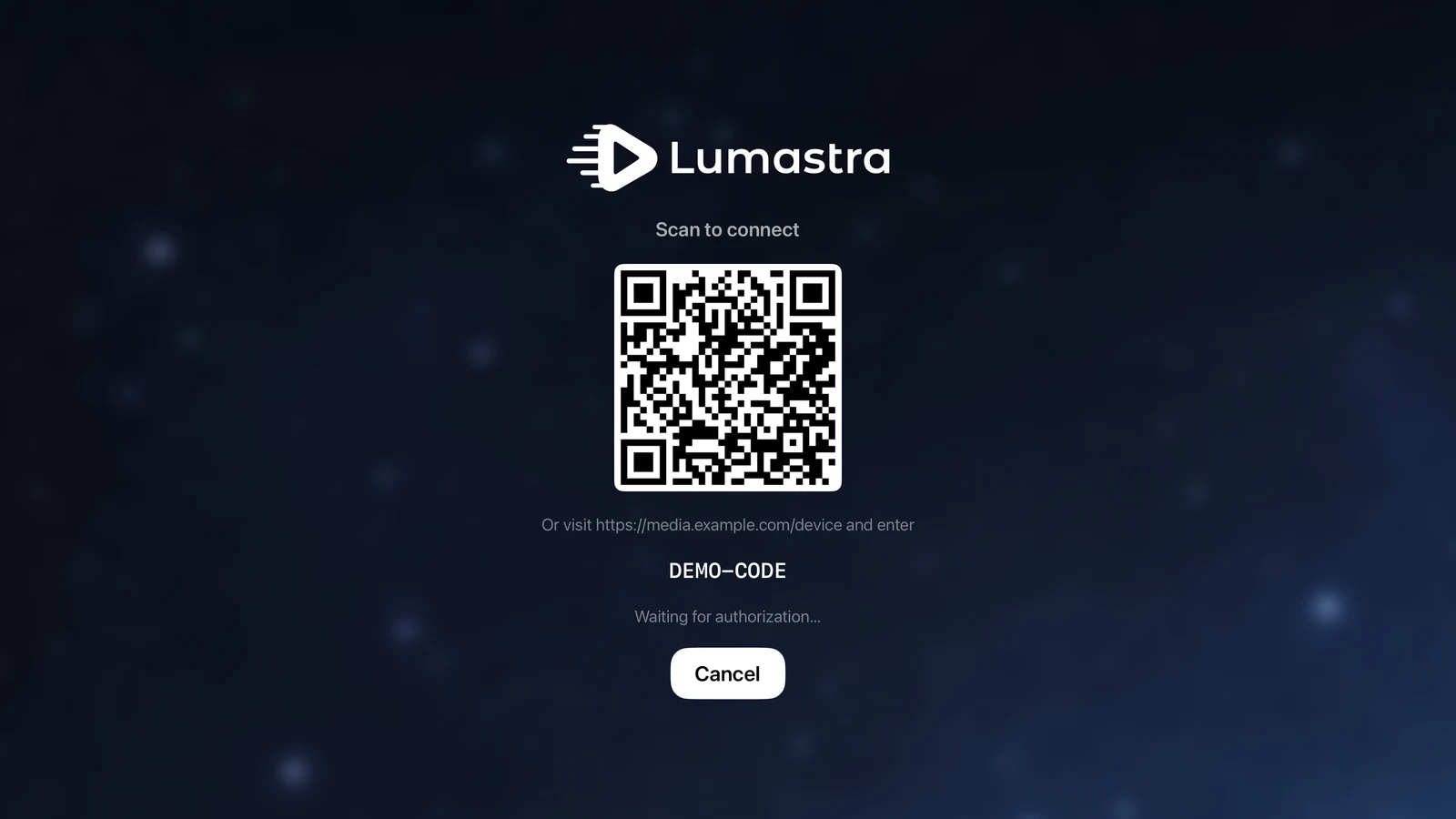
Click an image to open it at full size. The calendar and TV guide show fictional media.
For viewers, movies, series, music, audiobooks and Live TV are all in one Lumastra interface. The server owner sets up the sources; everyone else just opens Lumastra to watch or listen.
Movies, series, music, audiobooks and Live TV, together.
Viewers don’t need to open Audiobookshelf or configure the Live TV proxy.
Your tuner channels, official feeds offered for external players and your own live programming use the same Live TV pipeline. Household viewers watching the same channel share one upstream connection, and permitted alternate feeds can provide a backup when a feed fails.
You can install Lumastra alongside Jellyfin and point both at the same media folders. Keep using Jellyfin while you try Lumastra with your own library.
Turn on optional two-way sync to keep watched status and playback position in step across both servers. Users are matched by username, so you can start watching in one and continue in the other.
Films, series, music, audiobooks and Live TV, with one login and one set of apps. Everything here is part of the open-source core unless a row says otherwise.
| Feature | What it does |
|---|---|
| Recommendations | For You shelves, mood picks and similar titles, including titles beyond your library. |
| Search | One search box for movies, series, episodes ("Quiet Orbit S01E02"), people, music, audiobooks and Live TV channels, with suggestions as you type. Typos, accents and word order don't matter, and original, English and translated titles all match. |
| Your language | Titles, descriptions and taglines in each user's own language, from the languages the admin turns on. Titles can follow a different language than descriptions. The interface is in English and German so far, with more languages to come. |
| Semantic search | Search by what a film is about. Needs your own AI provider key. |
Release calendarScreenshot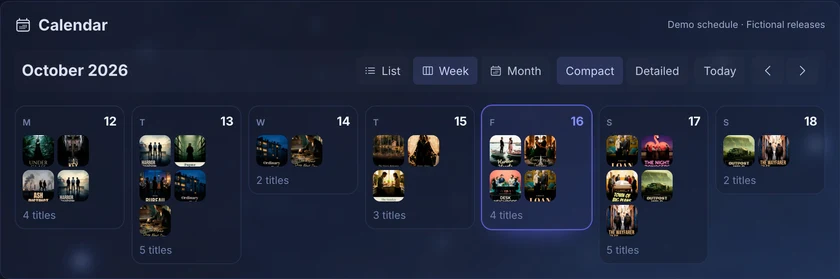 | Upcoming episodes and releases for what is in your library. |
| Episode matching | Multi-episode files, and DVD or absolute ordering as laid out on disk. |
| Other library types | Home videos, training and educational content. |
| AI assistant | Ask for something to watch in plain language. Uses your own AI provider key. Part of the supporter tier. |
All built in: your music server, audio analysis, smart playlists and DJ crossfading, in the same server as your films. No separate Subsonic server or extra tools needed.
| Feature | What it does |
|---|---|
| Audio analysis | Tempo, key, energy and mood for every track, built into the x86-64 image. |
| Sounds like | Similar tracks by sound, through an optional local sidecar. |
| Smart queue | Keeps playing tracks that fit, in an order that flows. |
| Gapless playback and DJ crossfades | Smooth transitions that use each track’s tempo and energy. |
| Automatic mixes | Mixes and collections per genre and by sound, built on their own. |
| Song Paths and Music Map | A smooth path between two songs, and a map of your library by sound. |
| Search by sound or lyrics | Find "calm solo piano" (with the sound sidecar), or a song by what its lyrics mean. |
| Careful tag reading | Albums, discs and compilations in the right order. |
| OpenSubsonic | Use your favourite Subsonic or OpenSubsonic music app. |
| Feature | What it does |
|---|---|
| Per-device decisions | Direct play, remux or transcode, chosen for each device’s codecs, HDR and subtitles. |
| Hardware transcoding | Intel, NVIDIA and AMD. Intel is the most tested; software transcoding always works. |
Subtitles without burn-inScreenshot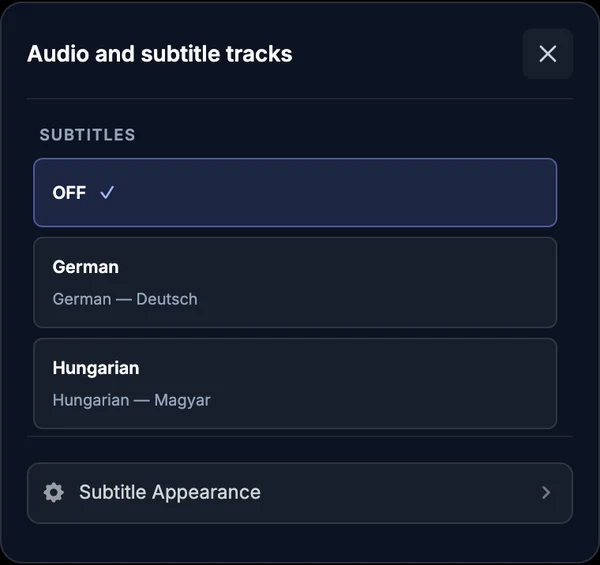 | Styled ASS/SSA and PGS/VobSub drawn over the video, preserving HDR. |
| Seeking and chapters | Trickplay thumbnails, chapters, and skip intro or credits. |
| Feature | What it does |
|---|---|
| iPhone and iPad | Native app with offline downloads, in public TestFlight. |
| Apple TV | Native app with music, audiobooks, Watch Together and Top Shelf, in public TestFlight. |
| Web app | Installable on desktop and mobile. |
| Subsonic music apps | Connect directly over the (Open)Subsonic API. |
| Jellyfin-compatible apps | Apps such as Streamyfin connect directly, with no Jellyfin server. Two streams at a time are included; more come with the supporter tier. |
Audiobooks come from your Audiobookshelf server and play in the Lumastra apps, so films, music and audiobooks are in one app.
| Feature | What it does |
|---|---|
| Audiobooks | Browse and listen in the web app and the iPhone, iPad and Apple TV apps; progress syncs to Audiobookshelf. |
| Books | Search your Kavita books and open them in Kavita. |
Watch channels from your home tuner, official feeds offered for external players, or your own live programming. Channel grouping, backup feeds and numbering are built in.
| Feature | What it does |
|---|---|
SourcesScreenshot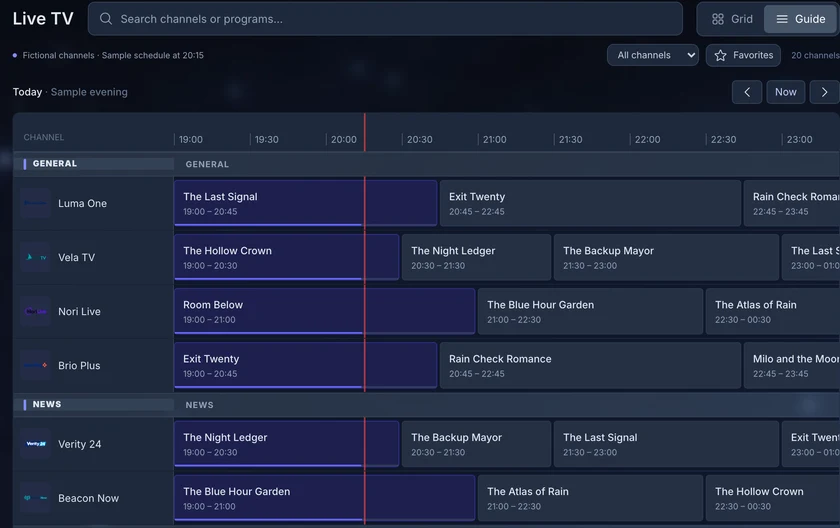 | Connect your own compatible tuner or broadcaster/provider-approved feeds through HDHomeRun, M3U or Xtream, with a programme guide. |
| Grouping and backup feeds | The same channel from different feeds is grouped, with priorities and automatic failover. |
| Numbering | Channels numbered and ordered by category without manual sorting. |
Adaptive bitrateScreenshot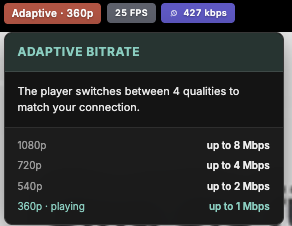 | Optional, needs a GPU (tested with an Intel Arc A380): the server encodes a channel from 1080p down to 360p, and the player switches quality to match each viewer's connection. |
| Feature | What it does |
|---|---|
| Watch Together | Synchronized sessions between browsers and the Apple TV app. iPhone and iPad can’t join yet. |
| Ratings and reviews | Shared ratings, reviews and watch activity, with privacy controls per user. |
| Trakt and MyAnimeList | Each user links their own accounts; history and progress sync. |
| Jellyfin progress sync | Optional, for running alongside an existing Jellyfin server. |
Single sign-on also works on the TV: apps sign in through your own login page.
| Feature | What it does |
|---|---|
| Single sign-on | OIDC and forward authentication are fully supported everywhere: web, iPhone, iPad, Apple TV and the API. |
| Built-in accounts | Username and password, on their own or alongside single sign-on. |
| Device sign-in | Apps show a code you approve through your server’s login. No TV passwords. |
| Parental controls | Age ratings and library access per user. |
| Feature | What it does |
|---|---|
| Documented API | Versioned /api/v1 with an OpenAPI spec and scoped tokens. |
| Plugins | Sources, metadata, subtitles, lyrics, tasks, watch sync and sign-in, with an SDK. |
Admin and healthScreenshot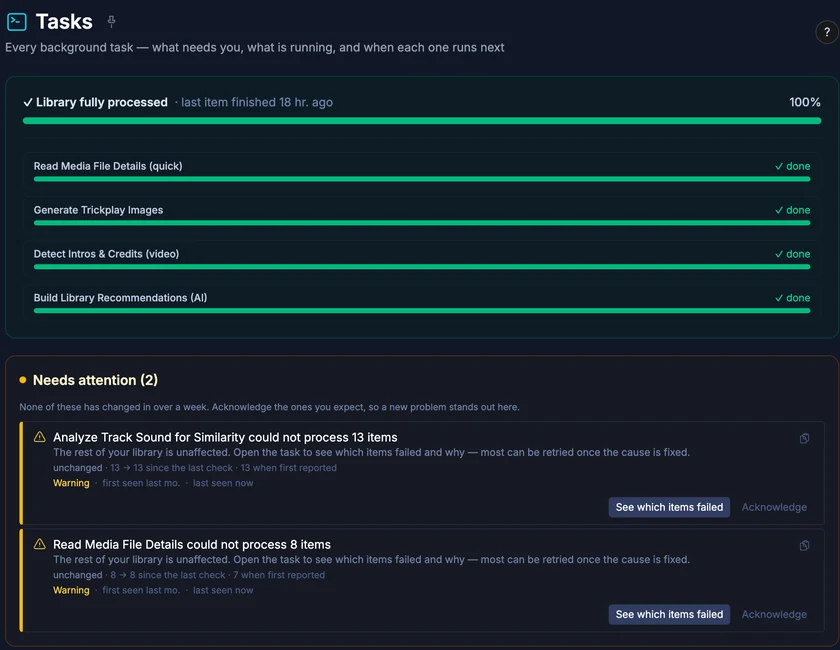 | Task system, health monitoring, and diagnostics sent from the apps. |
| Deployment | Docker Compose, or Kubernetes with a Helm chart (beta). |
Recommendations, semantic search and lyrics search need your own AI provider key. Sound similarity uses an optional local sidecar; tempo, key and energy analysis is built into the x86-64 image. Supporter features are free during early access.
Use the web player, the Lumastra apps for Apple TV, iPhone and iPad, or the Jellyfin and Subsonic apps you already have.
How the parts fit togetherBuilt-in video and music playback, subtitles, and an installable web app for mobile and desktop.
Included in the free coreConnect Jellyfin-compatible clients, including Streamyfin, directly to Lumastra.
Two bridge streams free · more with SupporterListen through Subsonic-compatible apps, or stay in the web player for gapless audio and DJ crossfades.
Included in the free coreThe iPhone and iPad app can download movies, episodes and music for offline use, and can keep a selection of your music downloaded automatically.
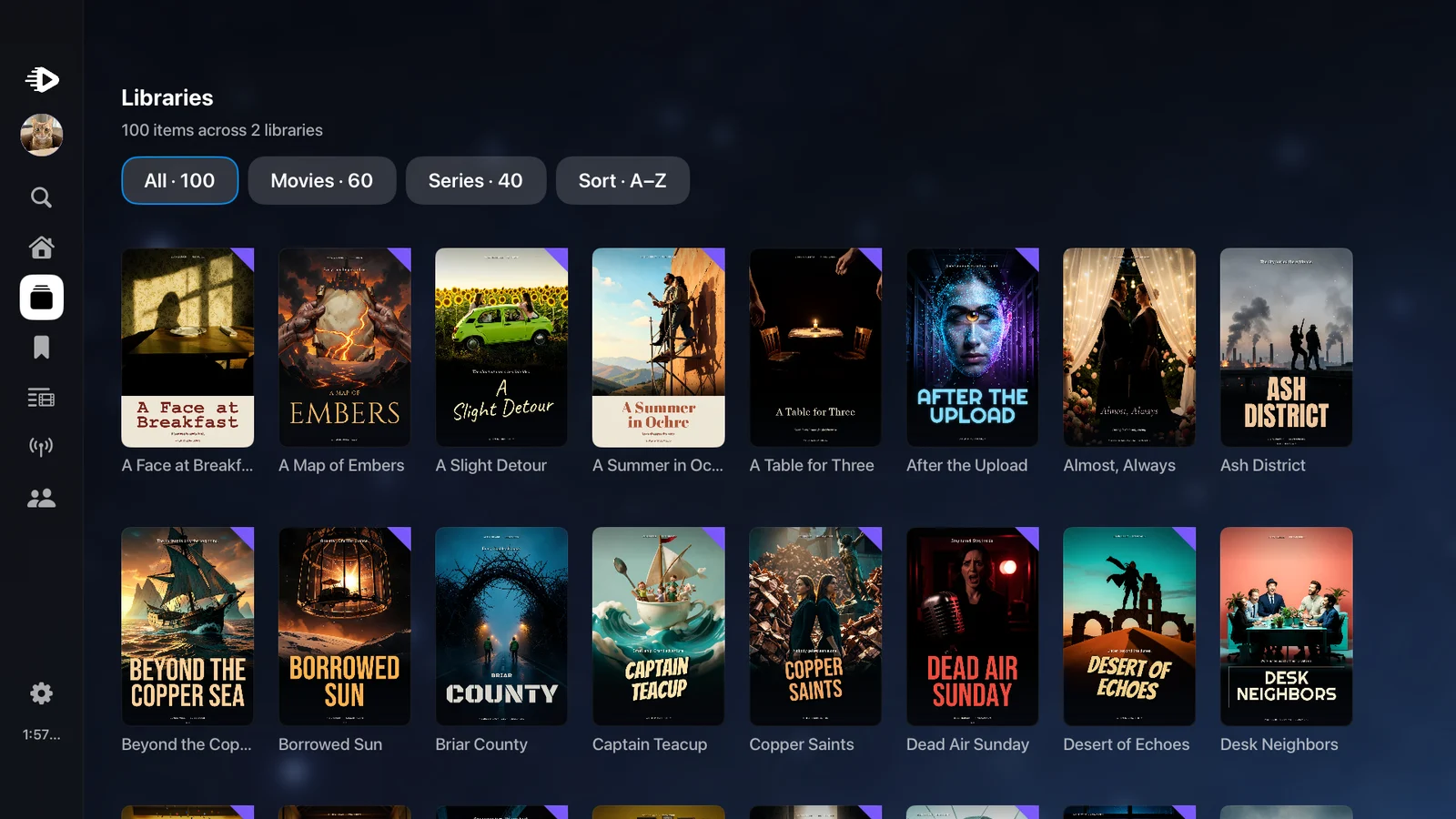
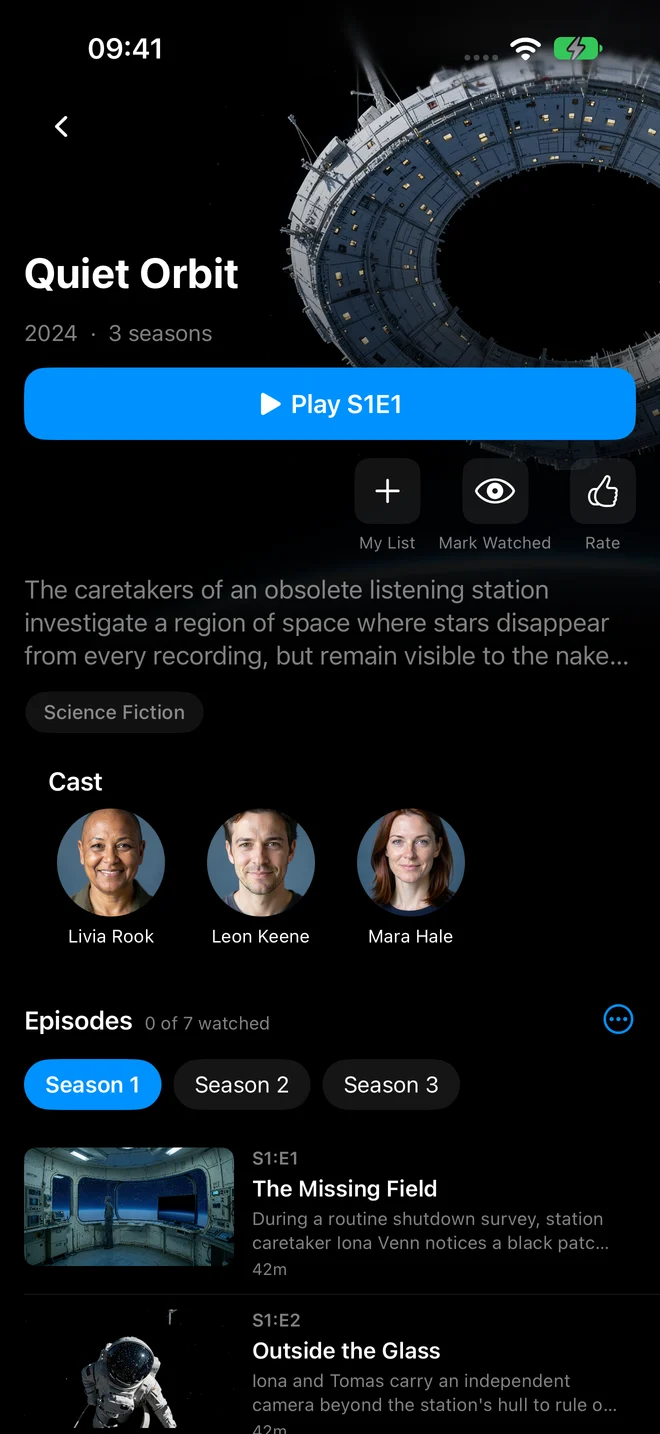
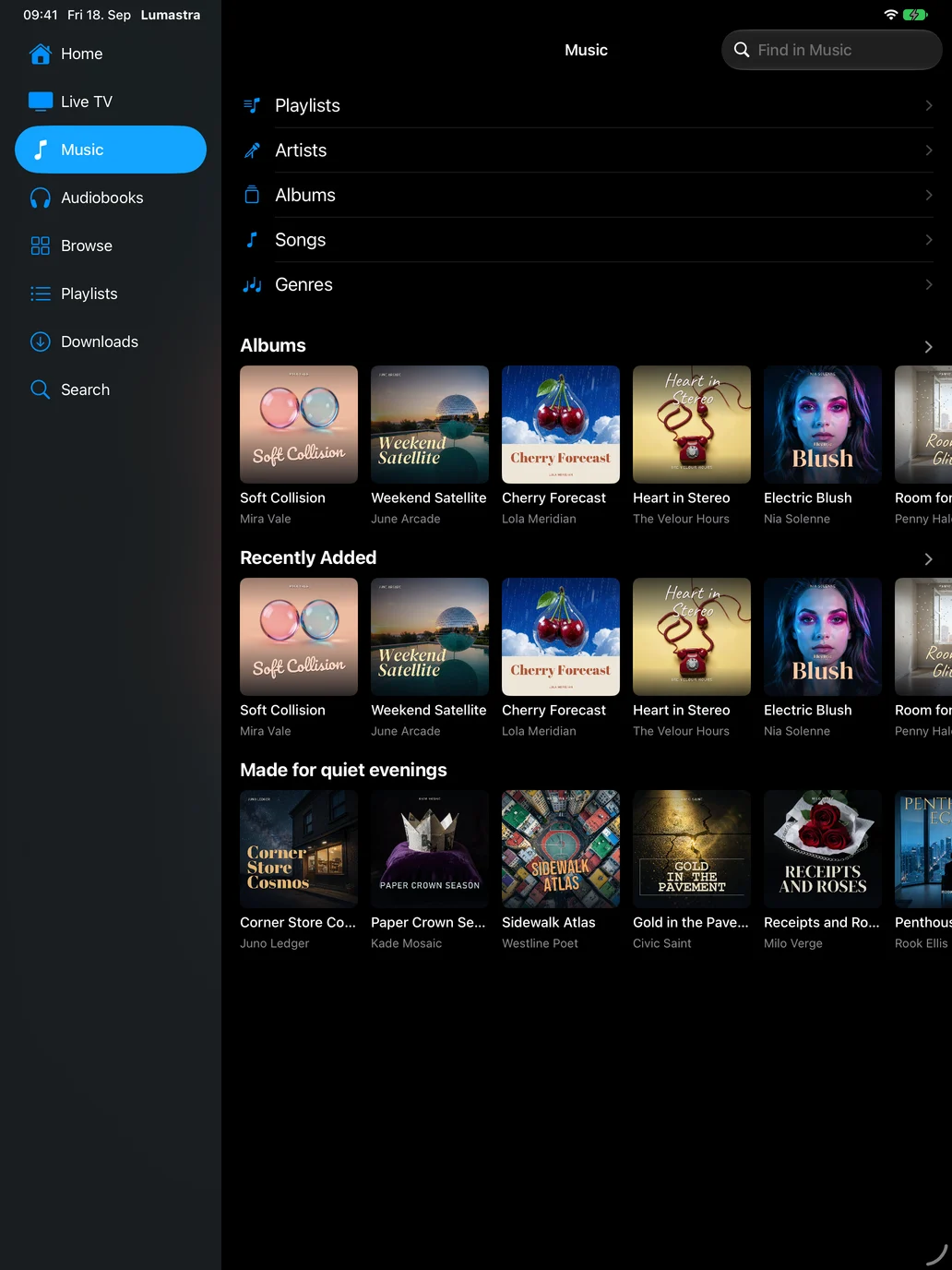
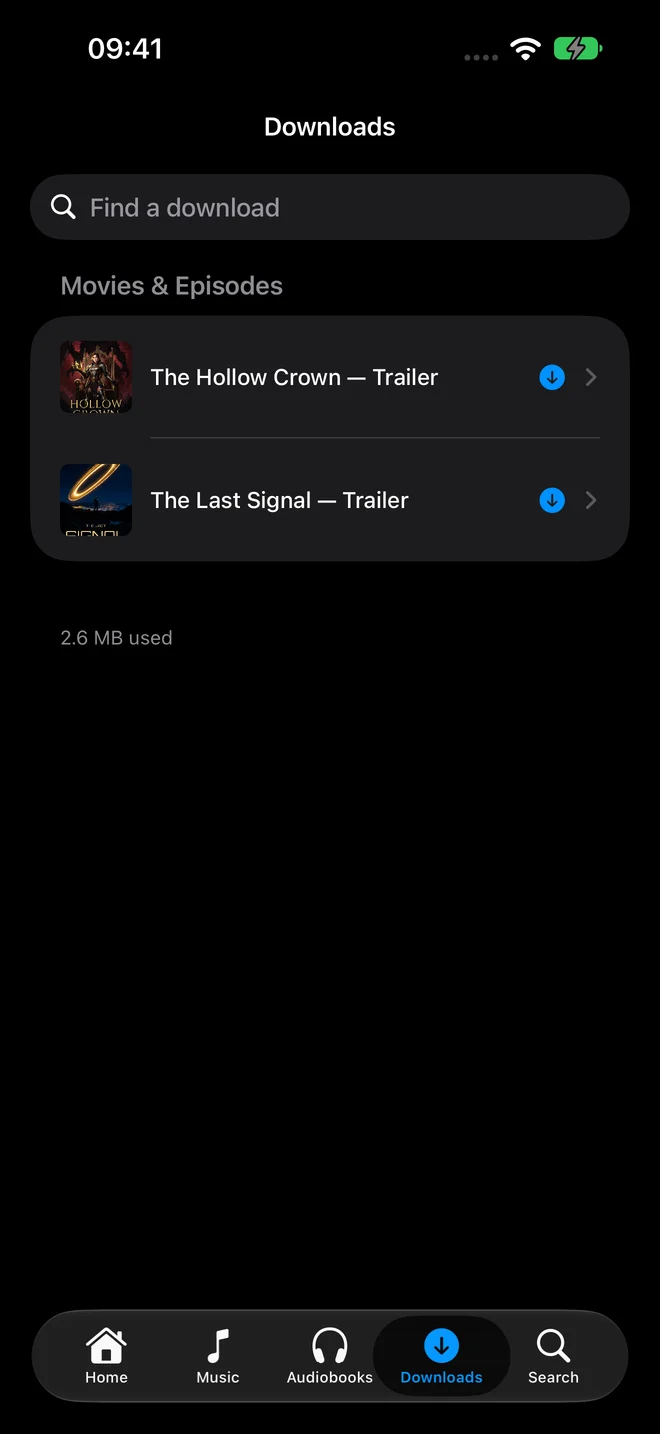
Real native app screenshots with a fictional library. Connect to your own Lumastra server; media is not included. The apps need your server on HTTPS with a certificate the device trusts.
Your media lives on your infrastructure. Enable the services you want, and choose how people sign in.
Library management, playback and discovery.
The web app and native apps have no bridge stream limit. Native Apple apps are closed source and currently free; some app features may become paid later.
Explore the sourceCurrently free during early access.
Two bridge streams at a time stay free for the whole server; the web app and native apps aren't limited. Supporter pricing has not been published yet.
Read editions & licensing* AI features use your own provider credentials. Provider usage may cost extra; relevant data is sent to the provider you configure.
Media Lumastra doesn't include movies, music or TV subscriptions.
Deployment Start with Docker Compose; deployment and scaling options are covered in the docs.
Run these commands on a server with Docker Compose; 8 GB of RAM is recommended. The Compose file includes the web service, background worker, PostgreSQL and both Valkey instances.
mkdir lumastra && cd lumastra
curl -fsSL -o docker-compose.yml https://raw.githubusercontent.com/Sapd/lumastra/main/docker-compose.example.yml
curl -fsSL -o .env https://raw.githubusercontent.com/Sapd/lumastra/main/.env.example

# Generate the three required secrets (macOS / Linux)
sed -i.bak \
  -e "s|^DATABASE_PASSWORD=.*|DATABASE_PASSWORD=$(openssl rand -hex 24)|" \
  -e "s|^CACHE_PASSWORD=.*|CACHE_PASSWORD=$(openssl rand -hex 24)|" \
  -e "s|^# LUMASTRA_MASTER_KEY=.*|LUMASTRA_MASTER_KEY=$(openssl rand -hex 32)|" \
  .env && rm -f .env.bak

docker compose up -d
Or let an AI assistant do it. Give an assistant with shell access on your server this prompt:
Read https://lumastra.org/install.md and follow it to install Lumastra on this server. Ask me before anything you can't check yourself.Open localhost:3000 on the server, create your admin account, and add your media. The default port is accessible only from that machine. To use Lumastra from other devices and the apps, put it behind HTTPS with the reverse proxy guide.
Keep the secrets file named .env and back up LUMASTRA_MASTER_KEY along with your config and database. On Windows without WSL, set the three secrets manually as described in the guide.
Lumastra is a standalone media server for movies, TV shows and music. You supply your own media.
Audiobooks require an Audiobookshelf server. Jellyfin is optional and can sync watch progress. The Kavita integration lets you search for books in Lumastra, then opens them in Kavita.
You need a machine that can run Docker Compose, with 8 GB of RAM and 20 GB of disk space for the application and its data, plus storage for your media.
Background scans and library analysis need that memory. A small library can run with less in low-RAM mode, but memory may be tight. The setup includes a web service, a background worker, PostgreSQL and two Valkey instances.
Lumastra sends the original file when the player can use it directly. Many files, such as MKV files with several audio tracks, go through HLS instead: the video is copied into short segments without re-encoding, while audio or subtitles are converted when the player needs it.
Segmenting supports seeking, audio-track switching and subtitle synchronisation, but costs some CPU per stream. Re-encoding video costs much more and is needed when a device cannot play the codec or a connection needs lower quality. A supported GPU can handle that work.
Lumastra supports arm64 and x86-64 Docker hosts, including compatible Synology, Unraid and other NAS systems. x86-64 hosts need an x86-64-v2-capable CPU. Plan for 8 GB of RAM; a Raspberry Pi with less memory is likely too small for a full library.
Use a stable release image on arm64; the edge image is amd64-only. Music BPM and mood analysis, the sound-similarity sidecar and Intel Quick Sync or VA-API transcoding are not available on arm64. Check the hardware limitations before choosing a device.
For movies, use the title and year in the filename; a folder per movie is recommended. For TV shows, use a layout such as Show/Season 01/Show - S01E01.mkv. Lumastra uses the series folder name to identify the show.
The organizing guide covers supported layouts, naming examples and ways to resolve mismatches.
No. Movies and TV shows must be kept in separate folders and added as separate libraries.
Yes. Give everyone their own account, using built-in login or single sign-on, and put Lumastra behind a reverse proxy with HTTPS.
The iPhone, iPad and Apple TV apps require HTTPS with a trusted certificate. The reverse proxy guide includes setups for Caddy, nginx, Traefik and Nginx Proxy Manager.
To update a Docker Compose install, pull the new image with docker compose pull, then restart with docker compose up -d. Lumastra updates its database automatically on startup. Read the release notes before upgrading during early access.
Back up the database, the /config volume and your .env file or secrets-manager configuration. Keep a separate backup of LUMASTRA_MASTER_KEY: it protects stored secrets and may live in your environment or in /config/master.key.
Yes. Both servers can read the same media folders. Lumastra stores generated files such as trickplay images, custom artwork and lyrics in /config by default. It only writes into your media folders if you change the metadata storage setting.
Optional Jellyfin sync keeps watch progress in step, with users matched by username. Jellyfin-compatible apps can also connect directly to Lumastra through its Jellyfin bridge; two simultaneous bridge streams are free per server.
Both servers can share a GPU, but simultaneous transcodes share its capacity.
It depends on what you need. Lumastra offers music discovery with a smart queue and DJ crossfades, recommendations across your library, single sign-on that works on the TV, support for most subtitles without burn-in, and Watch Together.
It is also an early release from one maintainer, with PostgreSQL and Valkey to run alongside the app. Jellyfin is mature and has a large choice of apps. If you mainly want to play movies and TV shows, Jellyfin may well be the better choice.
You can run both on the same media and try Lumastra first. Jellyfin sync works in both directions, keeping watch progress in step.
For a simple home setup, generally yes, especially RAM. Lumastra runs a separate web service and background worker, PostgreSQL and two Valkey instances, so it has more baseline overhead.
Background scans and analysis run separately from web requests. You can add web nodes as usage grows while keeping one worker, without duplicating background jobs. Playback load still depends on the files, devices, quality settings and hardware transcoding.
From Jellyfin, yes. Point Lumastra at the same media folders and turn on Jellyfin sync to bring over watch progress, with users matched by username. Both servers can keep running side by side.
There is no watch-progress import from Plex yet.
Yes, through a beta Helm chart. It supports several web pods, a router that keeps each video stream on one pod, a background worker and PostgreSQL, including CloudNativePG.
Docker Compose is the primary supported option for a single host. Kubernetes support is best-effort until 1.0. The guide covers storage, single sign-on, GPU transcoding, GitOps upgrades and moving from Docker Compose.
Lumastra requires PostgreSQL. It uses pgvector for recommendations, semantic search and music similarity, plus fuzzy search, full-text search, JSON columns, and locks and triggers for background tasks. Multiple web containers and the worker can write concurrently.
Supporting another database would require alternatives for those features and testing every query on each database. The supplied Docker Compose setup already runs PostgreSQL in its own container; the backup guide explains how to protect its data.
They have different jobs and memory policies. The cache instance holds data that Lumastra can fetch or calculate again, so it can discard older entries when its memory budget is full.
The task instance holds job queues, locks, and shared session and playback coordination. It uses persistent storage and a policy that prevents keys from being discarded to make room.
Memory policies apply to a whole Valkey instance. Separate database numbers or key prefixes would not isolate them. Docker Compose configures both instances for you, and they can run on the same machine.
Use the web app or the native iPhone, iPad and Apple TV apps, available through public TestFlight. The iPhone and iPad app supports offline playback and smart automatic downloads.
Jellyfin-compatible clients such as Streamyfin can connect without a Jellyfin server. Two simultaneous Jellyfin bridge streams are free for the whole server; additional streams are a supporter feature. That licence limit does not apply to streams in the web app or native Apple apps.
Subsonic music clients and the native API for third-party players are part of the free core.
There is no native Android or Android TV app yet. On Android, you can install the web app from your browser.
Jellyfin-compatible clients such as Streamyfin can connect through the Jellyfin bridge, and Subsonic or OpenSubsonic clients can connect for music. You can vote for a native Android app in feature requests.
Audiobookshelf provides the audiobook metadata and audio. Lumastra streams the books through its own server, so they sit in the same apps and interface as your movies and music. Apps connect through the Lumastra API, which translates requests for Audiobookshelf.
You can keep using the Audiobookshelf apps too. Listening progress syncs both ways, so you can start a book in one app and continue in the other.
Yes. Lumastra provides a documented, versioned API for third-party players, including playback, smart downloads and notifications.
The native API is part of the free AGPL-3.0 core. Playback through this API is not subject to the Jellyfin bridge’s two-stream free limit.
You host the library and choose which integrations to enable. AI features use your own provider credentials. Relevant prompts or text may be sent to that provider, and provider usage may cost extra. Lumastra does not include an AI key.
Recommendations and semantic search are in the free core; the chat assistant is a supporter feature. The data-flow guide explains what each integration sends.
Core scanning, browsing and playback can work without an internet connection once the required binaries are available locally. Fetching new metadata, artwork and updates, using cloud AI providers, and delivering push notifications need access to their services.
By default, the server can contact external services for licence checks, FFmpeg downloads, update checks and metadata or artwork. Licence requests send an install ID, the Lumastra version and a status code. Push uses a relay after a user enables notifications in the iOS app.
The data-flow guide lists every destination, what it receives, when it is contacted and how to turn it off.
Live TV recording (DVR) and offline downloads in the web app are not available yet. The native iPhone and iPad app supports offline playback and smart automatic downloads.
The free, open-source AGPL-3.0 core includes playback, hardware transcoding, Live TV, Watch Together, Subsonic music support, AI recommendations, semantic search and the native API for third-party players.
The AI chat assistant, custom branding and additional simultaneous Jellyfin bridge streams are supporter features. Two bridge streams remain free for the whole server; that licence limit does not apply to streams in the web app or native Apple apps. Supporter features are free during early access, with pricing to be announced.
AI features use your own provider credentials, and provider usage may cost extra. The Apple apps are free for now; some app features may become paid later.
Lumastra is open core. Almost all of the server code is open source under the AGPL-3.0. A few modules, including the AI chat assistant and additional Jellyfin bridge streams, are source-available: you can read the code, but use beyond the free tier requires a supporter licence. Supporter features are currently free during early access.
Each folder identifies the licence that applies, and build checks enforce the boundary between modules. Code that is open source today stays open source. Companies that cannot use the AGPL can get a commercial licence.
The Contributor License Agreement lets me offer Lumastra under a commercial licence alongside the AGPL and maintain the source-available supporter features.
You keep the copyright to your code. Contributions to the open-source core stay available under the AGPL or another open-source licence, and anyone can fork that core under the AGPL. Contributions to supporter features use their respective licence.
Questions about the CLA or licensing are welcome in GitHub Discussions or by email to git@sapd.eu.
The iPhone, iPad and Apple TV apps are separate from the server and are not open source. They are free for now; some features, such as offline downloads, will probably become paid later to help fund the project.
They use the same open, documented API available to other apps. The developer docs explain how the players work so anyone can build their own. The server stays open source.
Yes. I built Lumastra for myself and use it every day, so I keep maintaining it regardless of how many other people use it.
New features follow what I need myself. Ideas are welcome and can receive votes in Discussions, but I cannot promise to build everything. Until 1.0, the focus is on fixing bugs and polishing what is there.
The setup guide walks you through Docker Compose and adding your media folders.
Report a bug or ask for help →